How to Write Website Copy That Converts (Without Hiring a Copywriter)
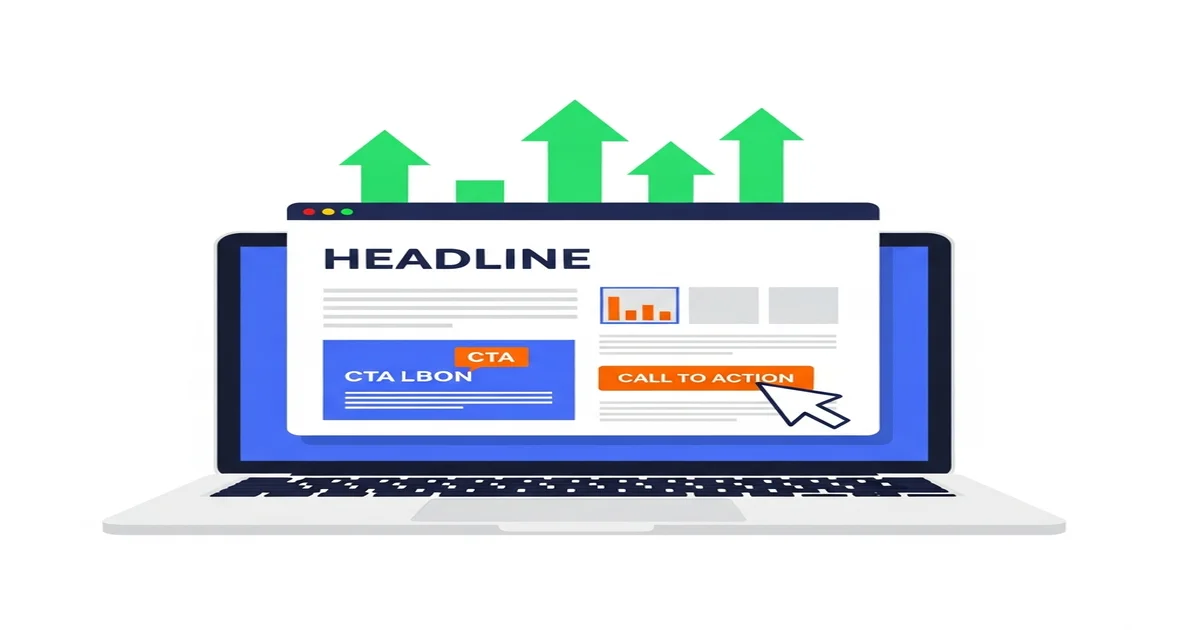
How to Write Website Copy That Converts (Without Hiring a Copywriter)
A client once told me her website was “fine.” Clean design. Professional photos. Fast loading.
But in three months, she’d gotten exactly 4 contact form submissions.
I looked at her homepage. The headline said: “Welcome to [Business Name] — Your Trusted Partner in Excellence.”
I asked her, “If someone landed on this page, would they know what you do in 5 seconds?”
She paused. “Probably not.”
We rewrote her homepage copy in an afternoon. Same design. Same photos. New words.
Next month: 38 contact form submissions. The month after that: 52.
The difference wasn’t design. It was copy. The words on your website are doing the heavy lifting — or they’re doing nothing at all.
Here’s how to write copy that actually works, even if you’ve never written anything more than an email.
Why Most Website Copy Doesn’t Work
Most small business websites have the same problems:
1. They talk about themselves instead of the customer.
“We are a leading provider of premium solutions with over 20 years of experience…”
Nobody cares. Your visitor has a problem. They want to know if you can solve it.
2. They use vague, meaningless language.
“We deliver excellence.” “Your trusted partner.” “Quality you can count on.” “Best-in-class solutions.”
These phrases say nothing. Every competitor uses them. They’re invisible.
3. They don’t tell visitors what to do next.
No clear call-to-action. No obvious next step. The visitor reads, nods, and… leaves. Forever.
4. They try to sound “professional” instead of human.
Formal, stiff corporate language creates distance. Your website should sound like a conversation, not a legal document.
Let’s fix all four.
The One Rule That Changes Everything
Every piece of copy on your website should answer one question from the visitor’s perspective:
“What’s in it for me?”
Not “what does this company do?” Not “how long have they been in business?” Not “what awards have they won?”
What’s in it for ME, the person who just landed on this page with a problem?
When you write from this perspective, everything changes.
- “We offer professional cleaning services” → “Come home to a spotless house without lifting a finger”
- “20 years of experience in HVAC” → “Your AC fixed today — guaranteed, or you don’t pay”
- “We are passionate about helping businesses grow” → “Get 3x more customers from Google in 90 days”
See the difference? The first version talks about the business. The second version talks about what the customer gets.
How to Write a Homepage That Converts
Your homepage is your digital storefront. Most visitors decide within 5 seconds whether to stay or leave.
Here’s the anatomy of a homepage that works:
The Hero Section (Above the Fold)
This is the most important piece of copy on your entire website. It’s what people see before scrolling.
You need three things:
1. A headline that states the benefit
Formula: [Desired outcome] + [without the pain point]
Examples:
- “Get More Customers from Google Without Spending a Fortune on Ads”
- “Beautiful Custom Cakes Delivered Fresh to Your Door”
- “Fix Your Leaky Roof Today — Free Inspection, No Obligation”
2. A subheadline that adds specifics
The subheadline supports the headline with details — who you help, how, or a specific proof point.
“We help small businesses in Austin get found on Google and turn clicks into customers. Over 200 local businesses trust us with their digital marketing.”
3. A clear call-to-action button
Tell them exactly what to do next:
- “Get Your Free Quote”
- “Book a Free Consultation”
- “See Our Work”
- “Start Your Project”
Never use “Learn More” or “Submit” as your button text. Be specific about what happens when they click.
The Problem Section
Right after the hero, acknowledge the pain your customer is feeling.
“You’ve been pouring money into marketing but can’t tell what’s working. Your competitors keep showing up on Google while your phone stays quiet. You know you need a better website, but you don’t know where to start.”
This does two things: it shows you understand their situation, and it creates emotional urgency to keep reading.
The Solution Section
Now present your solution. Not a feature list — a transformation.
Before → After framework:
“Before working with us, you’re guessing which marketing channels work and watching competitors outrank you. After working with us, you have a clear digital strategy that brings in qualified leads every month.”
Social Proof
Sprinkle proof throughout the page:
- Customer testimonials (with names and photos)
- Review ratings (“4.9 stars on Google from 200+ reviews”)
- Logos of businesses you’ve worked with
- Specific results (“Helped 50+ businesses increase revenue by 30%“)
The Final CTA
End with a strong, clear call-to-action. Repeat your main CTA button, add urgency if genuine, and make it risk-free:
“Ready to get more customers? Book a free 15-minute strategy call. No commitment, no pressure — just a clear plan for growing your business.”
How to Write Service Pages That Sell
Your service pages shouldn’t just describe what you do. They should convince someone to buy.
Service Page Formula
1. Headline: State the outcome, not the service name
- Instead of “Web Design Services” → “A Website That Actually Brings You Customers”
- Instead of “Lawn Care” → “The Best-Looking Lawn on Your Block, Guaranteed”
2. The Problem: What frustration brings someone to this page? “You know you need a better website, but every quote you’ve gotten is $10,000+, takes 6 months, and you still won’t know how to update it yourself.”
3. Your Approach: How you solve it differently “We build clean, fast websites in 2-3 weeks. You’ll be able to update everything yourself. And it won’t cost you a second mortgage.”
4. What’s Included: Specific deliverables (bullet points)
- Custom design tailored to your brand
- Mobile-responsive (looks great on every device)
- SEO-optimized so Google can find you
- Contact forms that actually work
- Training so you can update it yourself
5. Proof: A mini case study or testimonial specific to this service
6. Pricing Transparency: Even a “starting at” price builds trust. Hiding pricing makes people suspicious.
7. CTA: Make it easy and low-risk “Get a free mockup of your new website — no commitment required.”
How to Write an About Page People Actually Read
Your About page is one of the most visited pages on your website. And most are terrible.
What NOT to Do
Don’t write a corporate biography in third person: “Founded in 2015, [Company] has been dedicated to providing innovative solutions…”
What TO Do
Write it like you’re talking to a friend who asked, “So what do you do?”
The About Page Formula:
1. Start with your “why” “I started this business because I watched my parents’ restaurant struggle with terrible marketing from agencies that didn’t care. I knew there had to be a better way.”
2. Show you understand the customer’s world “I work with small business owners who are great at what they do but don’t have time to figure out marketing, SEO, and web design on top of running their business.”
3. State what you believe “I believe every small business deserves the same quality marketing that big companies get — without the big company price tag.”
4. Add credentials (briefly) “Over the past 5 years, I’ve helped 200+ small businesses get found on Google, redesign their websites, and actually grow their revenue.”
5. Include a photo A real photo of you. Not a logo. Not a stock photo. People hire people.
6. End with a CTA “Want to see if we’re a good fit? Let’s talk.”
7 Copywriting Formulas You Can Use Right Now
1. PAS (Problem → Agitate → Solution)
State the problem. Make it feel urgent. Present your solution.
“Your website looks outdated. Every day it stays that way, potential customers are choosing your competitors instead. Let us build you a modern site that converts — in just 2 weeks.”
2. Before → After → Bridge
Describe life before. Paint the picture of after. Your service is the bridge.
“Before: You’re spending hours on social media with nothing to show for it. After: You have a steady stream of customers finding you on Google every day. Bridge: Our SEO service.”
3. So What?
After writing any sentence, ask “so what?” If you can’t answer it, rewrite.
“We use the latest technology.” So what? → “Your website loads in under 2 seconds, so visitors stay instead of leaving.”
4. The 1-2-3 Formula
Step 1, Step 2, Step 3 — makes your service feel simple.
“Here’s how it works: 1. Book a free call. 2. We build your custom strategy. 3. Watch your business grow.”
5. Risk Reversal
Remove the fear of making a wrong decision.
“Try us for 30 days. If you’re not seeing results, you don’t pay. Simple as that.”
6. Specificity
Specific claims are 10x more believable than vague ones.
“We’ll improve your SEO” → “We’ll get your business on page 1 of Google for your top 5 keywords within 90 days”
7. The “Even If” Add-On
Address objections right in the copy.
“Get more customers from Google — even if you’ve never done any marketing before.”
The CTA Cheat Sheet
Your call-to-action buttons and links are where the conversion happens. Get them right.
Button Copy That Converts
Weak: Submit, Learn More, Click Here Strong: Get My Free Quote, Book My Consultation, Start My Project, Send Me the Guide
The formula: “Get/Start/Book + My + [Desired Outcome]”
Using “My” instead of “Your” increases clicks because it creates a sense of ownership.
CTA Placement Rules
- Above the fold — Always have a CTA visible without scrolling
- After each section — Don’t make people scroll back up
- At the bottom — Catch the people who read everything
- Sticky header or footer — CTA always accessible on mobile
Making CTAs Irresistible
Add a micro-commitment reducer below your button:
- “Free, no credit card required”
- “Takes 30 seconds”
- “No obligation”
Common Copy Mistakes (And How to Fix Them)
Writing for everyone. If your copy tries to speak to everyone, it speaks to no one. Pick your ideal customer and write directly to them.
Burying the lead. Your best selling point shouldn’t be in paragraph 4. Lead with it.
Using jargon. If your customer wouldn’t use the word, don’t put it on your website. “Synergistic solutions” means nothing. “We help you get more customers” means everything.
Forgetting mobile. Over 60% of your visitors are on phones. That beautiful 3-line headline on desktop? It’s 7 lines on mobile. Keep it concise.
No urgency. Give people a reason to act now, not later. “This month only,” “Limited spots,” “Book this week and get a free add-on.”
Walls of text. Nobody reads long paragraphs on websites. Use short paragraphs, bullet points, bold key phrases, and white space.
Your Website Copy Audit Checklist
Run through this for every page on your site:
- Can a visitor understand what you do within 5 seconds?
- Does the headline state a benefit (not just a service name)?
- Is the copy written from the customer’s perspective?
- Are there specific numbers and proof points?
- Is there a clear CTA above the fold?
- Is there a CTA at the end of the page?
- Did you remove all jargon and vague language?
- Are paragraphs short (2-3 sentences max)?
- Does the page look good on mobile?
- Would you be convinced if you were the customer?
If you want to dive deeper into conversion optimization, check out our full guide on why your website gets traffic but zero sales. And for getting more people to your site in the first place, read what actually works for SEO in 2026.
Your Next Step
Pick one page on your website — just one — and rewrite it using the formulas in this guide.
Start with your homepage. Use the hero section formula. Rewrite your headline to focus on what the customer gets, not what you do.
Then check your results after 30 days. I bet you’ll see a difference.
And if you’d rather have a professional handle it, or you want someone to review what you’ve written — that’s exactly what I do.
Visit gusdigitalsolutions.com or email me. I’ll take a look at your site and tell you exactly what to fix — for free.

Written by Gustavo Vasquez
Web developer and digital marketing consultant helping small businesses get online. 15+ years of tech experience, bilingual (English/Spanish).
Book a free consultationRelated Articles
How to Get More Customers with Google Business Profile in 2026
Step-by-step guide to optimizing your Google Business Profile for more calls, visits, and customers. Proven GBP strategies that work in 2026.
Social Media Marketing for Small Business: What Actually Works in 2026
No-fluff guide to social media marketing for small businesses. Which platforms to use, what to post, and how to actually get customers from social media in 2026.
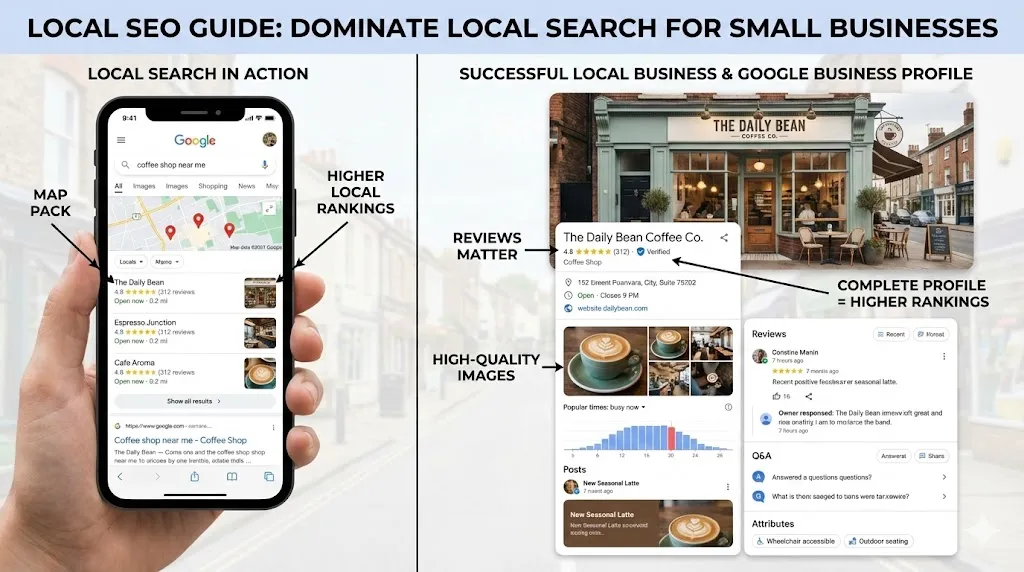
How Local SEO Can 10X Your Small Business
Learn how local SEO helps small businesses dominate Google Maps and local search. Complete guide with Google Business Profile tips, review strategy, and actionable checklist.
Need help with your project?
Whether it's SEO, a new website, or fixing bugs - I can help.
Get in Touch