Your Website Gets Traffic But No Customers?
Your Website Gets Traffic But No Customers? Here’s Why (And How to Fix It)
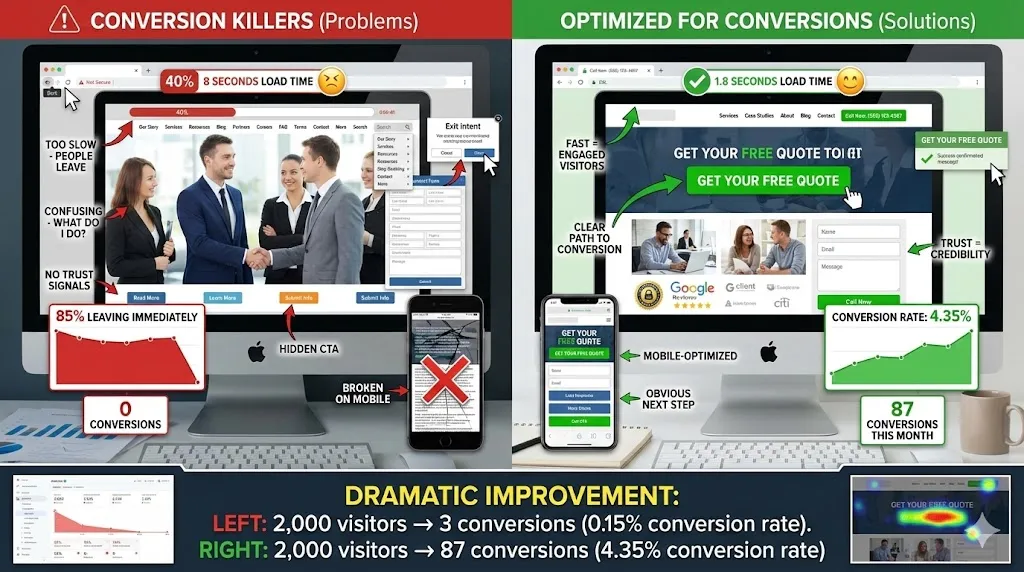
A gym owner came to me frustrated. His website was getting 2,000 visitors a month, but he was only getting 3-4 membership inquiries.
“I’m spending $500/month on ads. Where are all my leads?”
I looked at his website for 30 seconds and found the problem.
Actually, I found seven problems.
His contact form was broken. His phone number was buried in the footer. His “Join Now” button led to a 404 error. His site took 8 seconds to load on mobile. His navigation had 47 menu items. He had three different calls-to-action on the homepage. And his pricing page didn’t actually show prices.
No wonder nobody was converting.
We fixed these issues over a weekend. Same traffic. Different results.
Next month: 42 inquiries. 18 new memberships. $9,000 in revenue.
Your website probably has conversion killers too. Here’s how to find and fix them.
What Is a Conversion (And Why It Matters)
A conversion is when a visitor takes the action you want them to take.
For different businesses, that means:
- E-commerce: Making a purchase
- Service business: Filling out a contact form or calling
- Restaurant: Making a reservation or ordering online
- SaaS: Signing up for a trial
- Content site: Joining email list or subscribing
Your conversion rate is the percentage of visitors who convert.
If you get 1,000 visitors and 20 fill out your contact form, your conversion rate is 2%.
Industry average conversion rates:
| Type | Average Rate |
|---|---|
| E-commerce | 2-3% |
| Lead generation | 2-5% |
| SaaS | 3-5% |
| Landing pages (optimized) | 5-15% |
Why this matters: Doubling your conversion rate is like doubling your traffic — except it’s way easier and costs nothing.
If you’re getting 1,000 visitors and converting at 2% (20 conversions), improving to 4% gives you 40 conversions. Same traffic, double the results.
The 7 Conversion Killers (And How to Fix Them)
Conversion Killer #1: Slow Load Time
The problem: Your site takes forever to load. People don’t wait.
The data:
- 53% of mobile users abandon sites that take over 3 seconds to load
- A 1-second delay reduces conversions by 7%
- 47% of consumers expect pages to load in 2 seconds or less
Test your speed right now: Go to PageSpeed Insights (Google it) and enter your URL.
Common causes:
- Huge unoptimized images
- Too many plugins or scripts
- Bad hosting
- Uncompressed files
- Too many redirects
How to fix it:
✅ Compress images — Use TinyPNG or ImageOptim before uploading. Most images should be under 200KB.
✅ Use a CDN (Content Delivery Network) — Cloudflare has a free plan. It speeds up your site globally.
✅ Upgrade hosting — $5/month shared hosting is killing you. Invest in quality hosting ($20-50/month).
✅ Minimize plugins — Delete plugins you’re not using. Each one slows you down.
✅ Enable caching — Use a caching plugin (WP Rocket, W3 Total Cache) if you’re on WordPress.
✅ Lazy load images — Images only load when visitor scrolls to them.
Goal: Under 3 seconds on mobile. Under 2 seconds is ideal.
Conversion Killer #2: Confusing Navigation
The problem: Visitors can’t find what they’re looking for. Too many options. Unclear labels. Buried information.
The psychology: Hick’s Law — The more choices you give people, the longer it takes them to decide. Too many choices = decision paralysis = they leave.
Signs your navigation is broken:
- More than 7 main menu items
- Dropdowns with 20+ options
- Vague labels (“Solutions” “Services” “Resources”)
- Important pages buried 3 clicks deep
- No search function
- Different navigation on different pages
How to fix it:
✅ Simplify your main menu — Limit to 5-7 items max: Home, About, Services (or Products), Blog (or Resources), Contact
✅ Use clear labels
- Not: “Solutions” → Yes: “Web Design Services”
- Not: “Resources” → Yes: “Blog” or “Free Guides”
✅ Put priority actions in navigation — “Get a Quote,” “Book Now,” “Call Us,” “Start Free Trial”
✅ Make phone number clickable in header — Mobile users should be able to tap and call immediately.
✅ Add search for content-heavy sites — If you have 50+ pages, add a search bar.
Test: Ask someone unfamiliar with your business to find your contact page in 10 seconds. If they can’t, your navigation is broken.
Conversion Killer #3: No Clear Call-to-Action (CTA)
The problem: Visitors land on your site and think, “Okay… now what?”
You haven’t told them what to do next.
Common mistakes:
- No CTA button at all
- CTA is tiny or buried
- Multiple competing CTAs confusing the visitor
- Vague CTA text (“Click Here” “Learn More” “Submit”)
- CTA blends into page (same color as background)
How to fix it:
✅ One primary CTA per page — What’s the ONE thing you want visitors to do on this page?
- Homepage: “Get a Free Quote”
- Service page: “Schedule Consultation”
- Product page: “Add to Cart”
- Blog post: “Download Free Guide”
✅ Make it big and bold — Your CTA button should be the most visually prominent element on the page.
✅ Use action-oriented text
- Not: “Submit” “Learn More” “Click Here”
- Yes: “Get My Free Quote” “Book My Consultation” “Start Free Trial”
✅ Use contrasting colors — If your site is blue, make your CTA button orange or red. It should stand out.
✅ Put CTAs above the fold — Visitor shouldn’t have to scroll to see what action to take.
✅ Repeat CTAs on long pages — Top, middle, and bottom of page.
Example:
- Bad homepage: Wall of text, no buttons, “Contact us for more information” link in small text at bottom.
- Good homepage: Clear headline, benefits listed, big orange “Get Free Quote” button above fold, repeated at bottom.
Conversion Killer #4: Broken Forms or Contact Methods
The problem: Your contact form doesn’t work. Or it’s so complicated nobody completes it.
Test this right now: Go to your website. Fill out your contact form and submit it. Did you receive the email? If not, your form is broken and you’ve been losing leads for who knows how long.
Common form issues:
- Form doesn’t actually send (broken code)
- Goes to spam folder (you never see it)
- Requires too much information
- Confusing error messages
- No confirmation message after submission
- Not mobile-friendly (tiny text boxes)
How to fix it:
✅ Test your form monthly — Submit a test inquiry. Make sure you receive it.
✅ Keep forms short — Minimum viable information only: Name, Email, Phone (optional), Message. That’s it.
✅ Add clear confirmation — After submission: “Thanks! We’ll get back to you within 24 hours.”
✅ Send auto-response email — Immediately email them: “We received your message. We’ll respond within 24 hours.”
✅ Make fields bigger on mobile — Text boxes should be easy to tap and type in on phones.
✅ Offer multiple contact methods — Contact form, phone number (clickable), email address, live chat (if budget allows), text/SMS option.
Pro tip: Add a phone number near your form. Some people prefer calling.
Conversion Killer #5: No Social Proof
The problem: Visitors don’t trust you. They don’t know if you’re legit or if your service/product is any good.
The psychology: People trust other customers more than they trust you. Social proof (reviews, testimonials, case studies) builds credibility fast.
Signs you’re missing social proof:
- No customer reviews visible
- No testimonials on your site
- No client logos or case studies
- No trust badges (secure checkout, BBB, certifications)
- No “As seen in” media mentions
How to fix it:
✅ Display Google reviews prominently — Embed your Google reviews on your homepage. If you have 50+ five-star reviews, show them off.
✅ Add written testimonials — 3-5 customer testimonials on homepage, more on testimonial page.
Good testimonial format:
“[Specific result]. [What they liked]. [Would recommend].” — Name, Photo, Company/Location
Example: “We increased sales by 40% in 3 months. The team was professional and responsive throughout. Highly recommend!” — Sarah Johnson, Owner of ABC Bakery
✅ Show numbers — “500+ happy customers,” “10,000+ products sold,” “4.9-star rating on Google,” “In business since 2010”
✅ Add trust badges — Secure checkout logos, BBB accreditation, industry certifications, “Money-back guarantee,” “Free shipping,” “30-day return policy”
✅ Include case studies — Before/after results. Specific numbers. Real customer stories.
✅ Show real photos — Stock photos scream “fake.” Use real photos of your team, your location, your customers (with permission).
Placement:
- Homepage: 2-3 testimonials
- Service/product pages: Relevant testimonials for that service/product
- Checkout page: Trust badges and security assurances
- About page: Team photos, credentials, years in business
Conversion Killer #6: Mobile Unfriendly
The problem: 50-70% of your traffic is mobile. If your site is broken on phones, you’re failing the majority of your visitors.
Mobile issues:
- Text too small to read
- Buttons too small to tap
- Images don’t resize
- Horizontal scrolling required
- Popups cover entire screen with no way to close
- Forms unusable on mobile
- Slow load time on mobile data
How to fix it:
✅ Test on your actual phone — Open your site on your phone right now. Try to read the text, tap buttons, fill out the contact form, navigate the menu, and load pages quickly. If any of this is hard, you have a problem.
✅ Use responsive design — Your site should automatically adjust to any screen size.
✅ Make tap targets bigger — Buttons and links should be at least 44x44 pixels (about the size of an adult fingertip).
✅ Use readable font sizes — Minimum 16px for body text on mobile. Headers even larger.
✅ Simplify mobile navigation — Hamburger menu (☰) is fine. But make sure it’s easy to find and tap.
✅ Optimize images for mobile — Compress images specifically for mobile. Use responsive images that load appropriate sizes.
✅ Make forms mobile-friendly — Bigger input fields, fewer required fields, easy keyboard input, autofill enabled.
✅ Test page speed on mobile — Use Google’s Mobile-Friendly Test and PageSpeed Insights.
Goal: Your mobile experience should be AS GOOD as desktop, if not better.
Conversion Killer #7: Unclear Value Proposition
The problem: Visitors land on your site and don’t immediately understand what you do or why they should care.
The 5-second test: A visitor should be able to land on your homepage and within 5 seconds answer:
- What do you do?
- Who is it for?
- What’s the benefit to me?
If they can’t, your value proposition is unclear.
Common mistakes:
- Vague headline (“Welcome to Our Website”)
- Corporate jargon (“We provide innovative solutions”)
- No headline at all
- Focusing on you instead of the customer
- No clear differentiation from competitors
How to fix it:
✅ Clear headline formula: “We help [TARGET CUSTOMER] [ACHIEVE BENEFIT] with [YOUR SERVICE/PRODUCT]”
Examples:
- “We help small businesses get found online with affordable web design”
- “We help busy professionals eat healthy with fresh meal delivery”
- “We help homeowners save on energy bills with solar panel installation”
✅ Benefit-focused subheadline — Expand on the benefit. What’s in it for them?
- “Get more customers without spending more on ads”
- “Eat restaurant-quality meals without the cooking or cleanup”
- “Lower your electric bill and increase home value”
✅ Show, don’t tell — Use images/video that immediately communicate what you do. Restaurant: Food photos. Gym: People working out. SaaS: Screenshot of your software in action. Service: Before/after results.
✅ Differentiate yourself — Why choose you over competitors?
- “Family-owned for 20 years”
- “Same-day service guaranteed”
- “No contracts, cancel anytime”
- “Certified experts with 500+ 5-star reviews”
Test: Show your homepage to someone unfamiliar with your business for 5 seconds. Ask them what you do. If they can’t tell you, rewrite your headline.
The Conversion Optimization Checklist
Speed & Technical
- ☐ Site loads in under 3 seconds on mobile
- ☐ All images are compressed
- ☐ No broken links
- ☐ Forms actually work (test them!)
- ☐ Mobile-responsive design
- ☐ SSL certificate installed (HTTPS, not HTTP)
Navigation & User Experience
- ☐ Simple navigation (5-7 main items max)
- ☐ Phone number clickable in header
- ☐ Clear page hierarchy
- ☐ Search function (if 50+ pages)
- ☐ Consistent layout across pages
Calls-to-Action
- ☐ Primary CTA above the fold on every page
- ☐ CTA buttons are large and contrasting color
- ☐ Action-oriented button text
- ☐ Multiple CTAs on long pages
- ☐ Phone number visible and clickable
Forms & Contact
- ☐ Contact form tested and working
- ☐ Form fields minimized (name, email, message)
- ☐ Confirmation message after submission
- ☐ Auto-response email set up
- ☐ Mobile-friendly form fields
- ☐ Multiple contact options available
Trust & Credibility
- ☐ Customer reviews/testimonials displayed
- ☐ Real team photos (not stock)
- ☐ Trust badges on checkout/contact pages
- ☐ Clear about page with company info
- ☐ Privacy policy and terms linked in footer
Mobile Optimization
- ☐ Readable text without zooming
- ☐ Tappable buttons and links
- ☐ Fast mobile load time
- ☐ No horizontal scrolling
- ☐ Mobile-friendly forms
- ☐ Simplified mobile navigation
Value Proposition
- ☐ Clear headline stating what you do
- ☐ Benefit-focused messaging
- ☐ Differentiation from competitors
- ☐ Supporting visuals
- ☐ Customer-focused copy (not company-focused)
Quick Wins: Changes You Can Make Today
Don’t have time for a full website overhaul? Start here:
15-Minute Fixes
- Add your phone number to header (clickable)
- Make your main CTA button bigger and brighter
- Compress your largest images
- Test and fix your contact form
- Add one customer testimonial to homepage
1-Hour Fixes
- Rewrite your homepage headline (clear value proposition)
- Simplify your main navigation menu
- Add trust badges to checkout/contact pages
- Set up auto-response email for form submissions
- Add 3-5 customer testimonials with photos
Half-Day Fixes
- Optimize all images on site
- Improve mobile experience (test and fix issues)
- Add clear CTAs to every page
- Create dedicated landing page for your main service/product
- Set up Google Analytics goals to track conversions
Tracking Your Improvements
After you make changes, track the results.
Key metrics to monitor:
| Metric | What to Track |
|---|---|
| Conversion Rate | Before vs after changes |
| Bounce Rate | Lower is better (people staying) |
| Avg Session Duration | Higher is better (engagement) |
| Pages Per Session | Higher is better (exploring) |
| Form Submissions | Direct measure of leads |
| Phone Calls | Use call tracking to measure |
| Sales/Revenue | Ultimate metric |
How to track:
- Google Analytics for traffic and behavior metrics
- Form submission tracking (most form plugins have this)
- Call tracking (CallRail, CallTrackingMetrics)
- Revenue tracking (your sales software/CRM)
Review monthly. Compare this month to last month. Are conversions improving?
Common Mistakes to Avoid
Mistake #1: Changing Everything at Once
You won’t know what worked. Change one thing at a time, measure results, then move to next.
Mistake #2: Assuming You Know What Works
Test everything. Your opinion doesn’t matter — data matters.
Mistake #3: Ignoring Mobile
70% of traffic is mobile. Optimize for mobile first.
Mistake #4: Making It Pretty Over Functional
A beautiful website that doesn’t convert is worthless. Function over form.
Mistake #5: Not Testing Forms
Broken forms = lost leads. Test monthly.
Mistake #6: Too Many CTAs
One clear action per page. Don’t confuse visitors.
Mistake #7: Being Patient When You Shouldn’t Be
If your site isn’t converting, fix it NOW. Every day you wait costs you money.
The Bottom Line
More traffic doesn’t always mean more customers.
If your website isn’t converting, you have leaks in your funnel. Find them. Fix them.
The most common conversion killers:
- Slow load time
- Confusing navigation
- No clear CTA
- Broken forms
- No social proof
- Mobile unfriendly
- Unclear value proposition
Fix these seven things and your conversion rate will improve. Guaranteed.
Need help optimizing your website for conversions? We offer free website audits and can identify exactly what’s costing you customers. Visit gusdigitalsolutions.com to get started.
Stop losing customers to a broken website. Fix it today.

Written by Gustavo Vasquez
Web developer and digital marketing consultant helping small businesses get online. 15+ years of tech experience, bilingual (English/Spanish).
Book a free consultationRelated Articles
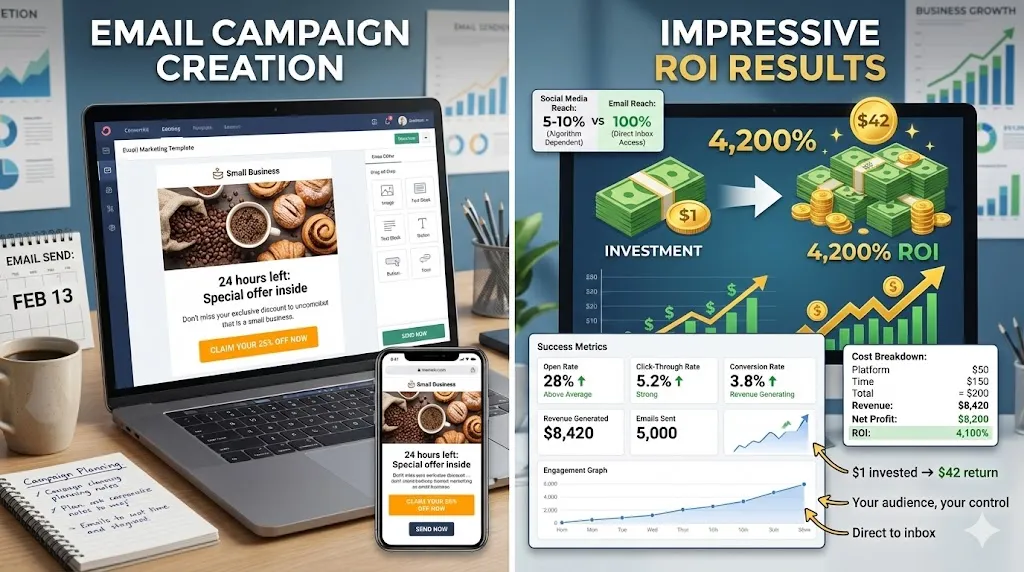
Email Marketing Returns $42 for Every $1 Spent
Learn how email marketing delivers the highest ROI in digital marketing. Build your list, write emails people read, and avoid common mistakes.
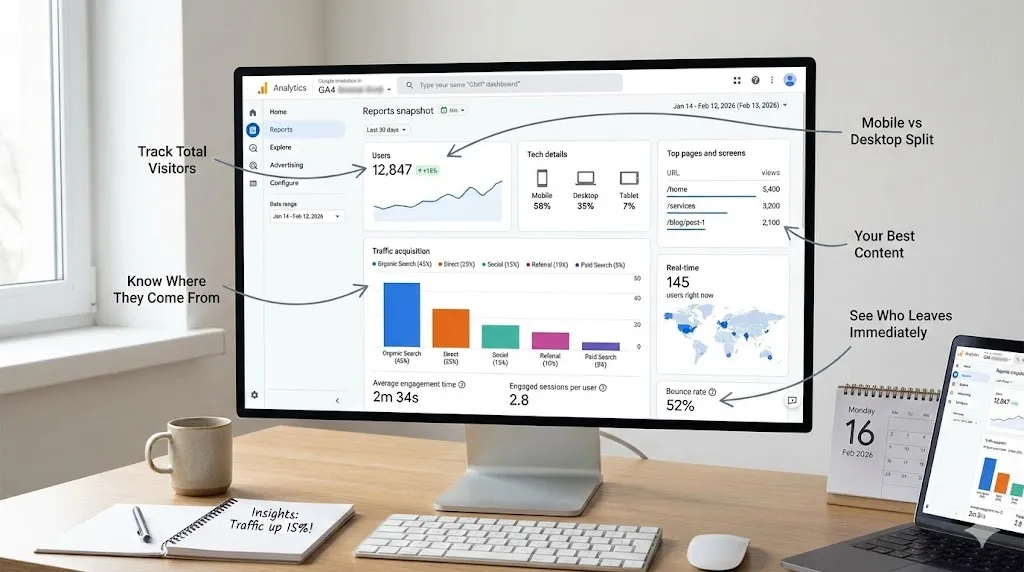
Google Analytics for Small Businesses: Stop Guessing
Learn how to use Google Analytics to make smarter business decisions. 8 key metrics, setup guide, weekly routine, and common mistakes to avoid.
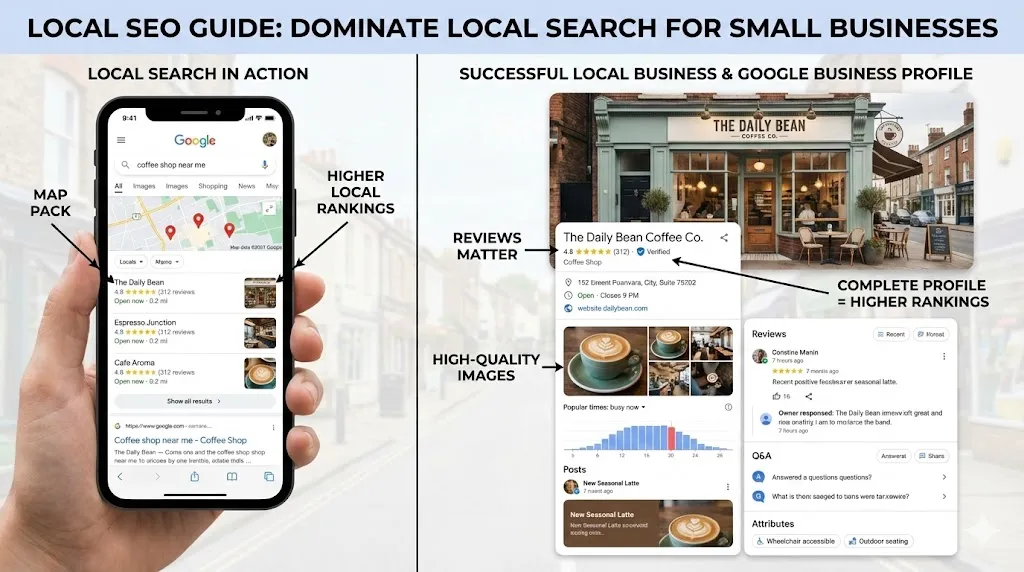
How Local SEO Can 10X Your Small Business
Learn how local SEO helps small businesses dominate Google Maps and local search. Complete guide with Google Business Profile tips, review strategy, and actionable checklist.
Need help with your project?
Whether it's SEO, a new website, or fixing bugs - I can help.
Get in Touch