How to Get More Customers with Google Business Profile in 2026
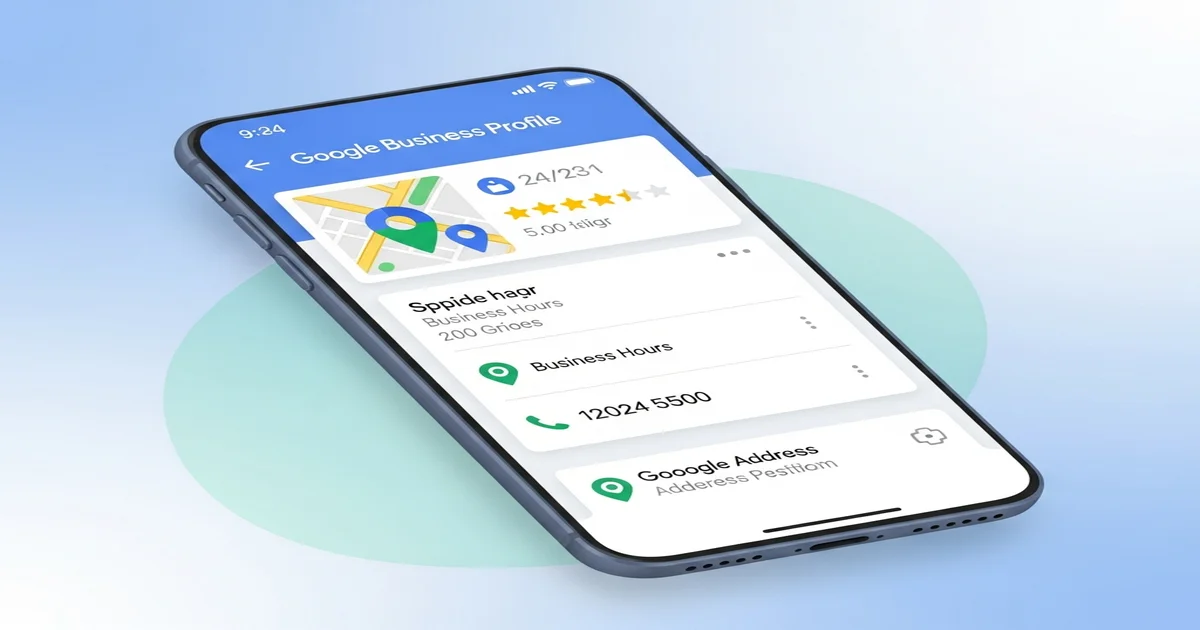
How to Get More Customers with Google Business Profile in 2026
A landscaping company owner called me last year. He was paying $3,000 a month for leads from HomeAdvisor and Angi.
I asked him one question: “When was the last time you updated your Google Business Profile?”
He didn’t even know what it was.
We spent two hours optimizing his profile. Added photos, responded to reviews, posted weekly updates, fixed his business categories.
Within 60 days, he was getting 40+ calls per month directly from Google Maps. He canceled both lead services.
That’s $3,000 a month saved, plus more customers than he could handle.
Google Business Profile is the most powerful free marketing tool for local businesses. And most businesses are barely using 20% of what it can do.
Here’s how to use all of it.
Why Google Business Profile Matters More Than Ever in 2026
When someone searches “landscaper near me” or “best dentist in Austin,” Google shows three things:
- Paid ads at the top
- The Map Pack — three businesses with a map
- Organic results below
The Map Pack gets 42% of all clicks on local searches. And it’s powered almost entirely by Google Business Profile.
If your GBP isn’t optimized, you’re invisible in the place where most local customers start their search.
What’s Changed in 2026
Google has made several updates that make GBP even more important:
- AI-generated summaries now pull directly from GBP data and reviews
- Google’s local algorithm weighs GBP activity more heavily than ever
- Review responses now factor into ranking (not just review count)
- GBP posts get indexed and can appear in regular search results
- Photo engagement signals are being used for ranking in Maps
If you set up your profile in 2022 and haven’t touched it since, you’re falling behind competitors who are actively managing theirs.
Step 1: Claim and Complete Your Profile (The Right Way)
If you haven’t claimed your Google Business Profile yet, go to business.google.com and do it now. It’s free.
If you already have one, let’s make sure it’s actually complete. Google gives preference to profiles that are 100% filled out.
The Essentials Most People Miss
Business Name: Use your real business name. Don’t stuff keywords in here — “Mike’s Plumbing | Best Plumber in Dallas TX | 24/7 Emergency” will get your profile suspended. Just “Mike’s Plumbing.”
Primary Category: This is the single most important ranking factor for the Map Pack. Be specific. “Italian Restaurant” ranks better than “Restaurant.” “Emergency Plumber” ranks better than “Plumber.”
Secondary Categories: Add every relevant category. A bakery might also be a “Cake Shop,” “Coffee Shop,” and “Dessert Restaurant.” You can add up to 10.
Business Description: You get 750 characters. Use them all. Mention your city, your services, and what makes you different. Write for humans, not robots.
Service Area: If you go to customers (plumber, landscaper, cleaning service), set your service area by city or zip code. You can cover up to 20 areas.
Attributes: These are the checkboxes for things like “Women-owned,” “Wheelchair accessible,” “Free Wi-Fi.” Check every one that applies. They show up in search results and help you stand out.
Pro Tip: Services and Products
Most businesses skip the Services and Products sections. Don’t.
Add every service you offer with a description and price (or price range). Google uses this data to match your business with specific searches.
If someone searches “kitchen remodel estimate” and your GBP lists “Kitchen Remodeling” as a service with a description mentioning free estimates — you’re much more likely to show up.
Step 2: Photos That Actually Drive Customers
Businesses with more than 100 photos get 520% more calls than the average business.
But it’s not just about quantity. The type of photos matters.
What to Upload (In Priority Order)
- Cover photo — Your best shot. This appears first. Make it count.
- Logo — Clean, recognizable version of your logo
- Exterior photos — What your building looks like from the street (helps people find you)
- Interior photos — Show the experience customers will have
- Team photos — People trust businesses with real faces
- Product/service photos — Show your actual work, food, products
- Before and after photos — Incredibly powerful for contractors, cleaners, landscapers
Photo Quality Tips
- Use your phone camera — it’s good enough. No stock photos ever.
- Shoot in natural light when possible
- Show real customers (with permission) and real results
- Add 3-5 new photos every week — consistency signals activity to Google
- Geotagging helps — take photos at your actual business location
Video works too. Short 30-second clips of your business, your team, or your work get high engagement on GBP. Upload them the same way as photos.
Step 3: Get Reviews (And Actually Respond to Them)
Reviews are the second most important ranking factor for the Map Pack, right after your primary category.
But it’s not just about the number of reviews. Google cares about:
- Review velocity — Are you getting new reviews consistently?
- Review diversity — Reviews from different types of customers
- Review content — Reviews that mention specific services or keywords
- Owner responses — Do you respond to every review?
How to Get More Reviews Without Being Pushy
The direct ask works best. After completing a job or serving a customer:
“Hey [name], I’m glad you’re happy with the work. Would you mind leaving us a quick Google review? It really helps us out.”
Then send them a direct link. Here’s how to get yours:
- Go to your Google Business Profile
- Click “Ask for reviews”
- Copy the short link
- Text or email it to happy customers
Timing matters. Ask within 24 hours of the service while the experience is fresh.
How to Respond to Reviews
Respond to every single review. Yes, every one.
For positive reviews:
- Thank them by name
- Reference something specific about their experience
- Keep it natural, not corporate
Example: “Thanks so much, Maria! We’re glad the new patio turned out exactly how you envisioned it. Enjoy those summer BBQs!”
For negative reviews:
- Respond within 24 hours
- Don’t get defensive
- Acknowledge the issue
- Offer to make it right offline
- Keep it short and professional
Example: “Hi James, I’m sorry your experience didn’t meet our standards. I’d love to make this right — could you call me directly at [number]? I want to personally address this.”
Why this matters for ranking: Google’s 2026 algorithm update explicitly factors in owner responses. Businesses that respond to 90%+ of reviews rank higher than those that don’t respond at all.
Step 4: Post Weekly Updates (Most Businesses Don’t)
Google Business Profile has a posting feature that works like a mini social media feed. And almost nobody uses it.
That’s your advantage.
Types of GBP Posts
- What’s New — Updates about your business, new services, changes
- Offers — Sales, discounts, limited-time deals
- Events — Upcoming events, workshops, open houses
What to Post
Post at least once a week. Here’s a simple content calendar:
- Week 1: Share a recent project/result with a photo
- Week 2: Post a special offer or promotion
- Week 3: Share a customer testimonial (with their photo if possible)
- Week 4: Educational tip related to your industry
Post Best Practices
- Include a photo — Posts with images get 10x more engagement
- Add a CTA button — “Call now,” “Book online,” “Learn more”
- Keep it under 300 words — Short and punchy wins
- Use keywords naturally — If you’re a plumber in Denver, mention “Denver” and your services
- Link to your website — Drive traffic back to your site
Posts expire after 7 days (offers expire on the date you set), so consistency is key. Set a weekly reminder.
Step 5: Q&A Section — Control the Narrative
The Q&A section on your GBP is public. Anyone can ask a question, and anyone can answer it.
This means your competitors or random people could be answering questions about your business. Not ideal.
Take Control
-
Seed your own questions. Ask and answer the 10 most common questions you get from customers. Use a different Google account for the questions.
-
Monitor new questions weekly. Answer them quickly and accurately.
-
Upvote your own answers. The most upvoted answer appears first.
Common questions to seed:
- “What are your hours?”
- “Do you offer free estimates?”
- “What areas do you serve?”
- “Do you accept [payment method]?”
- “How quickly can you schedule service?”
This isn’t gaming the system. It’s providing accurate information proactively.
Step 6: Track What’s Working
Google gives you solid analytics right inside GBP. Here’s what to track monthly:
Key Metrics
- Search queries — What terms people use to find you
- Profile views — How many people see your listing
- Direction requests — People looking for your physical location
- Phone calls — Calls directly from your listing
- Website clicks — Traffic from GBP to your site
- Photo views — Engagement with your visual content
What Good Numbers Look Like
For a local service business:
- 100+ profile views per month = Your profile is visible
- 20+ phone calls per month = Your listing is converting
- 50+ direction requests per month = People are coming to you
If your numbers are below these benchmarks, go back to steps 1-5 and make improvements. Usually, the issue is incomplete profile information or too few reviews.
Advanced GBP Strategies for 2026
Once you’ve nailed the basics, here are advanced moves:
1. Google Business Messages
Turn on messaging in your GBP settings. Customers can message you directly from your listing. Respond within 5 minutes for the best results — Google tracks your response time and displays it.
2. Booking Integration
If you use scheduling software (Calendly, Square Appointments, Booksy), connect it to your GBP. A “Book” button appears directly on your listing, reducing friction.
3. Multi-Location Management
If you have multiple locations, each needs its own GBP with unique photos, posts, and review management. Don’t copy-paste the same description across locations.
4. UTM Tracking
Add UTM parameters to your GBP website link so you can track GBP traffic separately in Google Analytics:
yourwebsite.com/?utm_source=google&utm_medium=gbp&utm_campaign=local
This lets you see exactly how much revenue your GBP is generating.
5. Local Justifications
When your GBP content matches a search query, Google shows a “justification” — a snippet from your posts, reviews, or services that explains why your business appeared.
To trigger more justifications: Use specific service keywords in your posts, business description, and encourage customers to mention specific services in reviews.
Common GBP Mistakes to Avoid
Using a virtual office address. Google is cracking down hard on this. If you don’t serve customers at your listed address, use the service-area option instead.
Keyword stuffing your business name. “Joe’s Plumbing - Best Plumber in Miami FL 24/7 Emergency Plumber” will get your profile suspended. Use your real business name.
Ignoring negative reviews. One bad review won’t kill you. An unanswered bad review tells every future customer you don’t care.
Inconsistent NAP. Your Name, Address, and Phone number need to be exactly the same everywhere — your website, GBP, Yelp, Facebook, and every other directory. Even small differences (“Street” vs “St.”) can hurt your ranking.
Setting it and forgetting it. GBP rewards active profiles. If you haven’t posted, added photos, or responded to reviews in months, your ranking will drop.
Your Action Plan (Do This Today)
Here’s your 30-minute GBP optimization checklist:
- Claim or verify your Google Business Profile
- Complete every single field (especially categories and services)
- Upload at least 10 high-quality photos
- Respond to all existing reviews (yes, even the old ones)
- Create your first GBP post
- Seed 5 Q&A questions with answers
- Set a weekly reminder to post and add photos
- Generate a review link and send it to 5 recent happy customers
If you’ve already read our guide on how local SEO can 10X your small business, this GBP deep-dive is the logical next step. Your Google Business Profile is the engine of your local SEO strategy.
And if you want the full picture on what’s working for search in 2026, check out our breakdown of what actually moves the needle for SEO this year.
Need Help Optimizing Your Google Business Profile?
If you’d rather have someone handle this for you — or if you want a professional audit of your current GBP — I can help.
I’ve optimized hundreds of Google Business Profiles for local businesses, and I know exactly what Google is looking for in 2026.
Get in touch at gusdigitalsolutions.com or email me directly. Let’s get your business showing up where it matters.

Written by Gustavo Vasquez
Web developer and digital marketing consultant helping small businesses get online. 15+ years of tech experience, bilingual (English/Spanish).
Book a free consultationRelated Articles
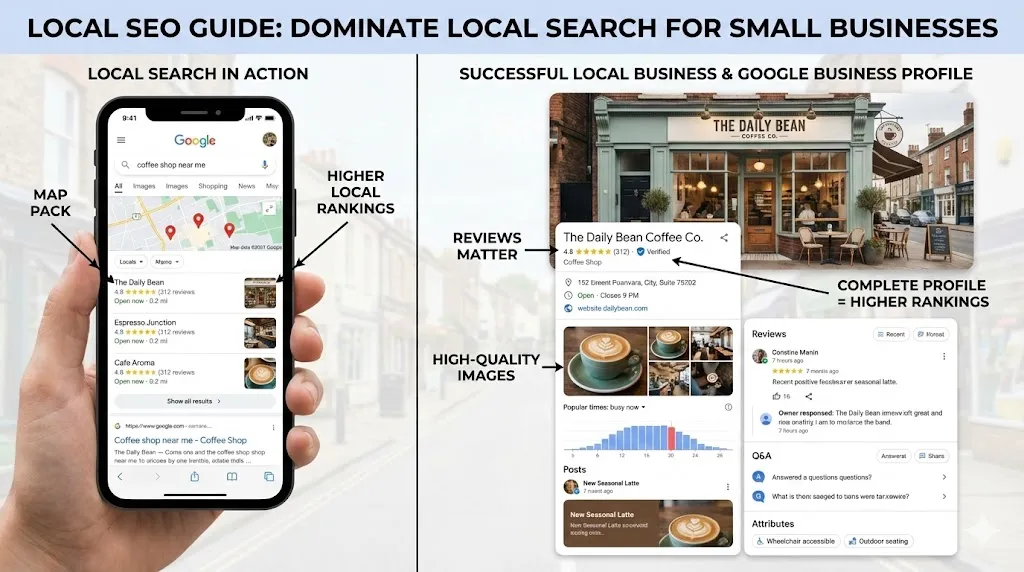
How Local SEO Can 10X Your Small Business
Learn how local SEO helps small businesses dominate Google Maps and local search. Complete guide with Google Business Profile tips, review strategy, and actionable checklist.
Social Media Marketing for Small Business: What Actually Works in 2026
No-fluff guide to social media marketing for small businesses. Which platforms to use, what to post, and how to actually get customers from social media in 2026.
How to Write Website Copy That Converts (Without Hiring a Copywriter)
Learn to write website copy that turns visitors into customers. Practical formulas for headlines, CTAs, service pages, and about pages that actually convert.
Need help with your project?
Whether it's SEO, a new website, or fixing bugs - I can help.
Get in Touch