Email Marketing Returns $42 for Every $1 Spent
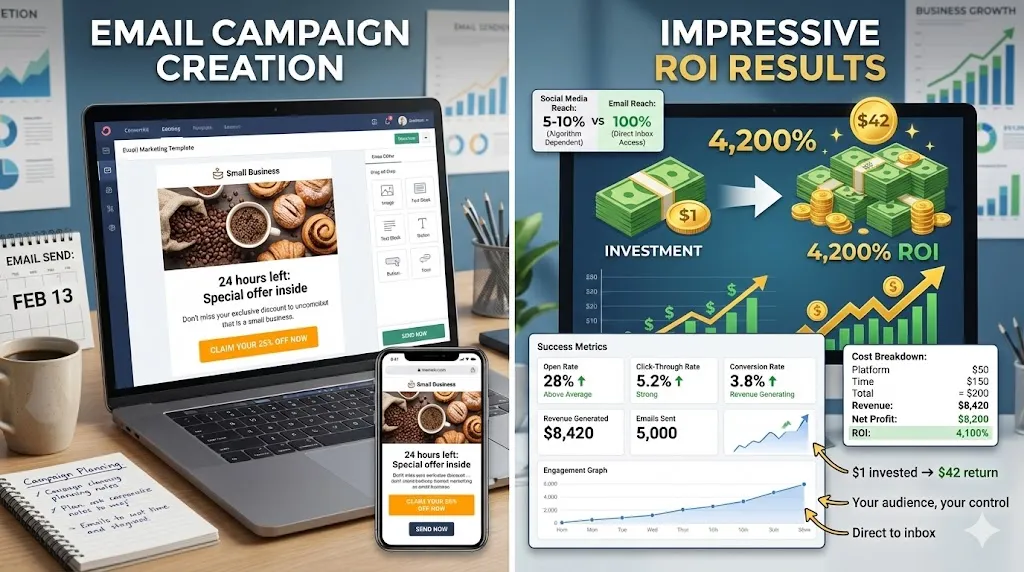
Email Marketing Returns $42 for Every $1 Spent (If You Do It Right)
A restaurant owner told me he tried email marketing once. Sent a newsletter to his customer list. Got zero sales from it.
“Email doesn’t work,” he said.
I asked to see the email. It was a wall of text about his personal life, with no clear offer, no images, and a subject line that said “Newsletter #3.”
No wonder it didn’t work.
Three months later, we rebuilt his email strategy. Same customer list. Better emails.
Result: $8,000 in sales from a single campaign promoting a new menu item.
Email marketing works. But only if you actually do it right.
Here’s how.
Why Email Marketing Still Crushes Social Media
Social media is great. But you don’t own your audience there.
The reality:
- Facebook controls who sees your posts (usually 5-10% of followers)
- Instagram’s algorithm decides if your content gets shown
- TikTok could ban your account tomorrow
- Twitter could change ownership and tank engagement
But your email list? You own it.
Nobody can take it away. No algorithm decides who sees your message. You have direct access to your customers’ inbox.
The numbers don’t lie:
- Email marketing ROI: $42 for every $1 spent
- Email is 40x more effective at customer acquisition than Facebook or Twitter
- People are 6x more likely to click through from email than from a tweet
- 99% of people check their email daily (only 58% check social media daily)
You need social media. But you REALLY need email.
Building Your Email List (The Right Way)
You can’t do email marketing without an email list. Here’s how to build one ethically and effectively.
What NOT to Do
- ❌ Don’t buy email lists — They’re full of fake addresses, spam traps, and people who never opted in. Your emails will go straight to spam.
- ❌ Don’t scrape emails from the internet — Illegal in many places, unethical everywhere, and your deliverability will tank.
- ❌ Don’t add people without permission — If they didn’t opt in, don’t email them. Period.
What TO Do
✅ Add an email signup to your website
Put it:
- In your header/navigation
- In your footer
- As a popup (but not aggressive)
- On your About page
- On your blog
- At checkout (for e-commerce)
Make it visible and easy to find.
✅ Offer something valuable in exchange
People don’t give their email for nothing. Give them a reason:
For restaurants:
- “Get 10% off your first order”
- “Free appetizer with signup”
For service businesses:
- “Free consultation”
- “Download our pricing guide”
- “Get our checklist”
For retail:
- “15% off your first purchase”
- “Early access to sales”
- “Free shipping on first order”
For content/education:
- “Download our free guide”
- “Get our template”
- “Access exclusive content”
✅ Collect emails in person
- At checkout: “Want to join our email list for exclusive deals?”
- At events: Use a tablet or signup sheet
- On receipts: Include a QR code to join your list
✅ Use social media to build your list
Don’t just post content. Drive people to sign up:
- “Link in bio to get our free guide”
- “Join our email list for exclusive deals”
- “Sign up for early access”
The Technical Side (Email Service Providers)
You need an email service provider (ESP). Don’t send marketing emails from your Gmail account — you’ll get flagged as spam.
Best options for small businesses:
Mailchimp — Free up to 500 subscribers
- Easy to use
- Good templates
- Basic automation
ConvertKit — $9/month for up to 300 subscribers
- Great for content creators
- Good automation
- Simple interface
Constant Contact — $12/month
- Excellent customer support
- Good for beginners
- Event marketing features
Klaviyo — Free up to 250 contacts
- Best for e-commerce
- Advanced segmentation
- Shopify integration
Pick one and set it up today. Most have free trials.
Email Types That Actually Work
Not all emails are created equal. Here are the types that get results:
1. Welcome Email Series
When someone joins your list, send them a series of 3-5 emails over the first week.
- Email 1 (Immediate): Welcome + deliver promised incentive
- Email 2 (Day 2): Tell your story, build connection
- Email 3 (Day 4): Share your best content or products
- Email 4 (Day 6): Social proof (testimonials, reviews)
- Email 5 (Day 7): Special offer or clear call-to-action
Why this works: People are most engaged right after signing up. Strike while the iron is hot.
2. Promotional Emails
These are sales emails. You’re promoting a product, service, or offer.
Structure:
- Strong subject line (create urgency or curiosity)
- Clear headline
- Brief copy explaining the offer
- Visual (product image, before/after, etc.)
- Strong call-to-action button
- Scarcity or urgency element
Example:
- Subject: “24 hours left: 20% off everything”
- Headline: “Last Chance — Sale Ends Tonight”
- CTA: “Shop Now”
How often: 1-2 per week maximum (don’t burn out your list)
3. Newsletter/Value Emails
These provide value without asking for a sale. Content, tips, updates, stories.
Structure:
- Conversational subject line
- Personal greeting
- Valuable content (tips, story, update)
- Light CTA at the end
Example for a bakery:
- Subject: “The secret to perfect sourdough”
- Content: Share your recipe or technique
- CTA: “Stop by this week to try ours”
How often: 1-2 per week
4. Cart Abandonment Emails (E-commerce)
Someone added items to cart but didn’t buy. Remind them.
Series:
- Email 1 (1 hour later): “You left something behind”
- Email 2 (24 hours later): “Still thinking about it?”
- Email 3 (48 hours later): “Here’s 10% off to complete your order”
Why this works: 70% of carts are abandoned. You can recover 10-30% of them with good emails.
5. Re-engagement Emails
These target inactive subscribers who haven’t opened your emails in months.
Subject lines that work:
- “Are we breaking up?”
- “We miss you”
- “One last email from us”
Offer: Give them a special deal or ask if they still want to hear from you.
Result: Either they re-engage, or you remove them (cleaning your list improves deliverability).
Subject Lines: The Make-or-Break Moment
47% of people open emails based on subject line alone.
If your subject line sucks, nobody reads your brilliant email.
Subject Line Formulas That Work
Urgency:
- “24 hours left: [offer]”
- “Last chance for [benefit]”
- “Ends tonight: [deal]”
Curiosity:
- “The mistake everyone makes with [topic]”
- “You’re doing [thing] wrong”
- “Why [surprising fact]”
Benefit-Driven:
- “Get [result] in [timeframe]”
- “How to [achieve goal]”
- “[Number] ways to [benefit]”
Personalization:
- “[Name], this is for you”
- “I noticed you [action]”
- “Picked just for you”
FOMO (Fear of Missing Out):
- “Don’t miss [opportunity]”
- “Your exclusive invite”
- “Before everyone else sees this”
Subject Line Don’ts
- ❌ ALL CAPS (looks spammy)
- ❌ Excessive punctuation!!! (spam filter trigger)
- ❌ “Free” or “Act now” (spam words)
- ❌ Misleading clickbait (kills trust)
- ❌ Too long (gets cut off on mobile)
Best length: 6-10 words or 40-50 characters
Writing Emails People Actually Read
Your email needs to be scannable and clear.
The Structure
- Subject Line — Get them to open
- Preview Text — Supports subject line (first sentence visible in inbox)
- Greeting — “Hi [First Name],” or just start with content
- Hook — First sentence grabs attention
- Body — Short paragraphs, scannable, benefits-focused
- Call-to-Action — One clear next step
- Signature — Your name, business, contact info
Writing Tips
- ✅ Write like you talk — Conversational tone, not corporate-speak
- ✅ Use short paragraphs — 2-3 sentences max
- ✅ One main idea per email — Don’t try to do too much
- ✅ Benefits over features — “Save 2 hours/week” not “automated scheduling”
- ✅ Tell stories — People remember stories, not facts
- ✅ Use bullet points — Makes content scannable
- ✅ Include images — But not too many (spam filters hate image-heavy emails)
- ✅ Mobile-first — 60% of emails are opened on mobile
- ✅ Clear CTA — Big button, obvious next step
The “One Email, One Goal” Rule
Every email should have ONE clear purpose:
- Get them to buy this product
- Read this blog post
- Book a consultation
- Share with a friend
If you try to do five things, nothing happens. Pick one goal.
Avoiding the Spam Folder
All the best writing in the world doesn’t matter if your emails never get delivered.
Deliverability Best Practices
1. Get permission
Only email people who opted in. No exceptions.
2. Use double opt-in
After signup, send a confirmation email. They must click to confirm. This ensures real, engaged subscribers.
3. Clean your list regularly
Remove inactive subscribers every 6 months. They hurt your deliverability.
4. Avoid spam trigger words
Words like: Free, Act Now, Limited Time, Click Here, $$$, Guarantee
5. Balance text and images
Too many images = spam filter trigger. Aim for 60% text, 40% images.
6. Include your address
CAN-SPAM law requires your physical business address in every email.
7. Make unsubscribe easy
If someone wants to leave, let them go easily. Hidden unsubscribe links hurt deliverability.
8. Authenticate your domain
Set up SPF, DKIM, and DMARC records. Your ESP can help with this. It proves you’re legitimate.
9. Don’t buy lists
We already said this, but it’s worth repeating. Never, ever buy email lists.
10. Send consistently
Sporadic sending looks suspicious. Pick a schedule (weekly, bi-weekly) and stick to it.
Segmentation: Stop Sending Everything to Everyone
Not everyone on your list wants the same thing.
Example: You own a restaurant with lunch and dinner service. Some customers only come for lunch. Some only dinner. Some are vegetarians.
Sending your steak special to vegetarians is pointless. Send them your new veggie dish instead.
How to Segment
By behavior:
- Opened recent emails vs didn’t
- Clicked links vs didn’t
- Made a purchase vs didn’t
- Abandoned cart
By demographics:
- Location (local deals to nearby customers)
- Age group
- Gender (if relevant to your product)
By interests:
- Product categories they browsed
- Content topics they clicked
- Services they inquired about
By customer stage:
- New subscribers
- Active customers
- Past customers who haven’t bought recently
- VIP/high-value customers
How to use this: Send targeted emails to each segment. Vegetarians get veggie specials. Local customers get local event invites. Past customers get “we miss you” re-engagement offers.
Result: Higher open rates, higher click rates, higher sales.
Metrics That Actually Matter
Track these numbers monthly:
Open Rate
- What: % of people who opened your email
- Good: 15-25%
- How to improve: Better subject lines
Click-Through Rate (CTR)
- What: % of people who clicked a link in your email
- Good: 2-5%
- How to improve: Clear CTAs, compelling offers
Conversion Rate
- What: % of people who took desired action (bought, booked, downloaded)
- Good: 1-5% (varies by industry)
- How to improve: Better targeting, stronger offers
Unsubscribe Rate
- What: % of people who unsubscribed
- Good: Under 0.5%
- Red flag: Over 1% = you’re annoying people
Bounce Rate
- What: % of emails that didn’t get delivered
- Good: Under 2%
- Red flag: Over 5% = list hygiene problem
Revenue Per Email
- What: How much money each email generates
- Track this: Divide total revenue by number of emails sent
Common Email Marketing Mistakes
Mistake #1: Sending Too Often
Bombarding people = unsubscribes.
Fix: 1-3 emails per week maximum for most businesses.
Mistake #2: Being Too Salesy
Every email can’t be “BUY NOW BUY NOW.”
Fix: 80% value, 20% promotion.
Mistake #3: No Mobile Optimization
60% of emails are opened on phones. If yours looks terrible on mobile, you’re failing 60% of your audience.
Fix: Use responsive templates, test on your phone before sending.
Mistake #4: No Clear Call-to-Action
What do you want them to do? If it’s not obvious, they won’t do it.
Fix: One big button, one clear action.
Mistake #5: Inconsistent Sending
Emailing once a month, then daily for a week, then disappearing for two months confuses your audience.
Fix: Pick a schedule and stick to it.
Mistake #6: Ignoring Data
If nobody’s opening your emails, something’s wrong. Pay attention.
Fix: Review metrics monthly, adjust strategy.
Mistake #7: Boring Subject Lines
“Newsletter #47” is not compelling.
Fix: Create curiosity, urgency, or clear benefit.
Your Email Marketing Action Plan
Here’s how to get started:
Week 1
- ☐ Choose an email service provider
- ☐ Set up your account
- ☐ Add signup form to your website
- ☐ Create a lead magnet (discount, guide, etc.)
Week 2
- ☐ Write your welcome email series (3-5 emails)
- ☐ Set up automation to send them
- ☐ Create your first newsletter template
- ☐ Plan your content calendar
Week 3
- ☐ Send your first email to existing customers
- ☐ Promote your email list on social media
- ☐ Add email signup to your physical location (if applicable)
- ☐ Test everything on mobile
Week 4
- ☐ Send your second email
- ☐ Review your metrics
- ☐ Adjust based on what worked
- ☐ Plan next month’s emails
Ongoing
- ☐ Send 1-2 emails per week
- ☐ Review metrics monthly
- ☐ Clean list every 6 months
- ☐ Test subject lines and content
- ☐ Grow list consistently
The Bottom Line
Email marketing works. The ROI is real: $42 for every $1 spent.
But only if you:
- Build your list ethically
- Provide value (not just sales pitches)
- Write compelling subject lines
- Send consistently
- Track your metrics
- Optimize based on data
Social media is rented land. Your email list is property you own.
Start building it today.
Need help setting up email marketing for your business? We can build your list, write your emails, and set up automation that actually converts. Visit gusdigitalsolutions.com to get started.
Stop leaving money on the table. Start emailing.

Written by Gustavo Vasquez
Web developer and digital marketing consultant helping small businesses get online. 15+ years of tech experience, bilingual (English/Spanish).
Book a free consultationRelated Articles
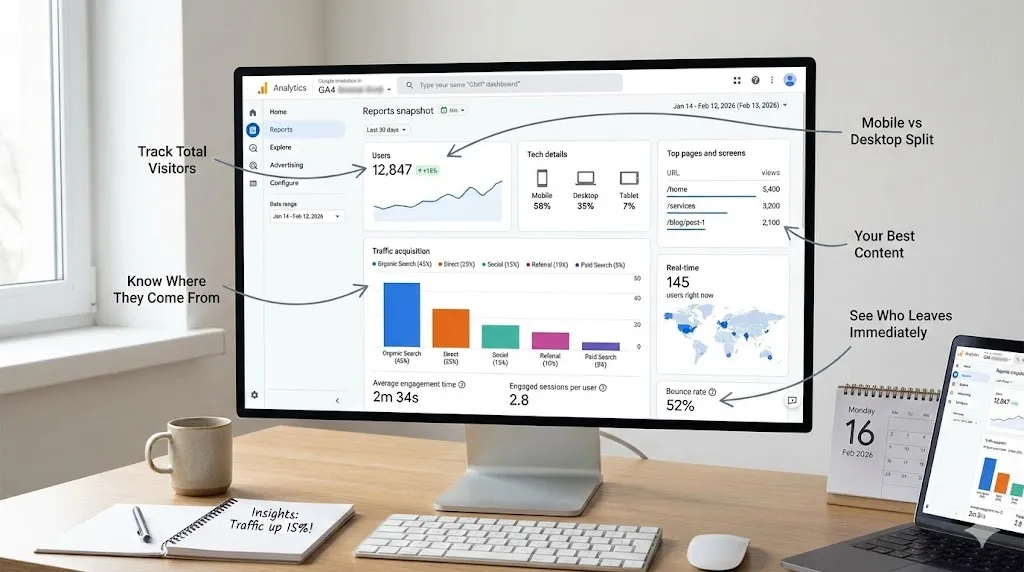
Google Analytics for Small Businesses: Stop Guessing
Learn how to use Google Analytics to make smarter business decisions. 8 key metrics, setup guide, weekly routine, and common mistakes to avoid.
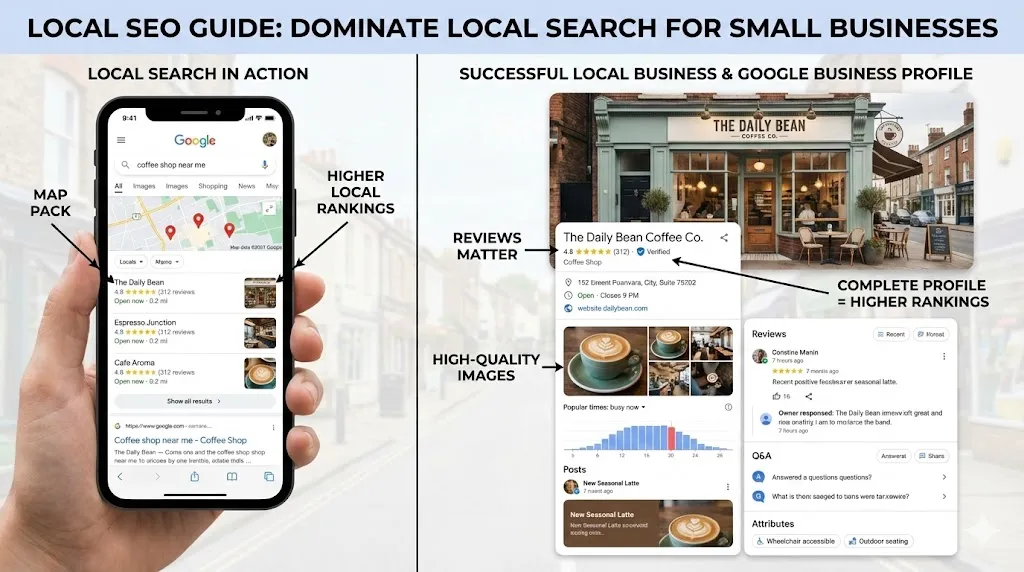
How Local SEO Can 10X Your Small Business
Learn how local SEO helps small businesses dominate Google Maps and local search. Complete guide with Google Business Profile tips, review strategy, and actionable checklist.
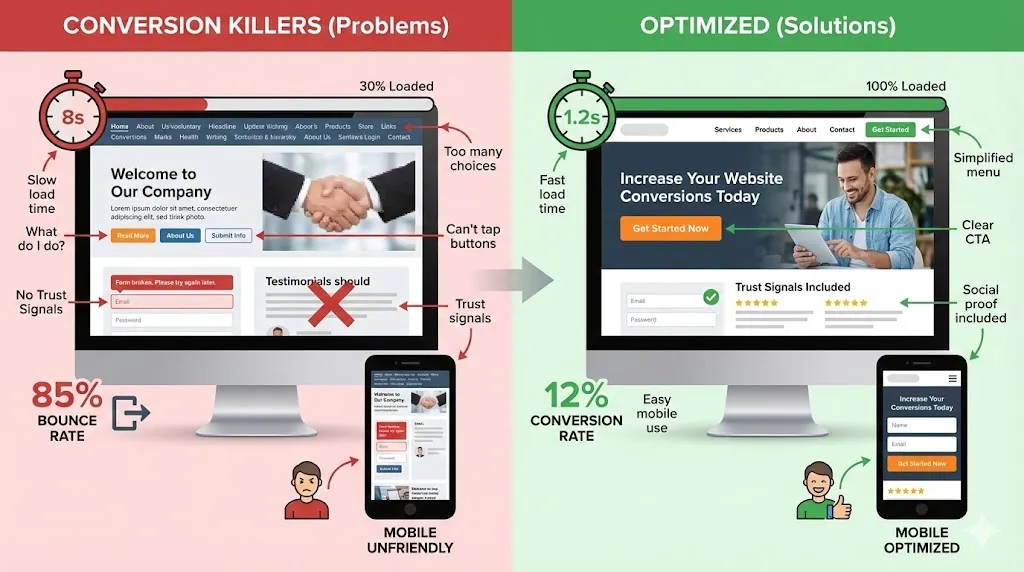
Why Your Website Gets Traffic But Zero Sales
Your website gets visitors but no sales? Fix the 3 conversion killers destroying your business. Homepage anatomy, mobile tips, and full checklist.
Need help with your project?
Whether it's SEO, a new website, or fixing bugs - I can help.
Get in Touch