Why Your Website Gets Traffic But Zero Sales
Why Your Website Gets Traffic But Zero Sales (And How to Fix It)
A client came to me frustrated.
“We’re getting 2,000 visitors per month, but only 3 people contact us. What’s wrong?”
I looked at his website for 30 seconds and found the problems:
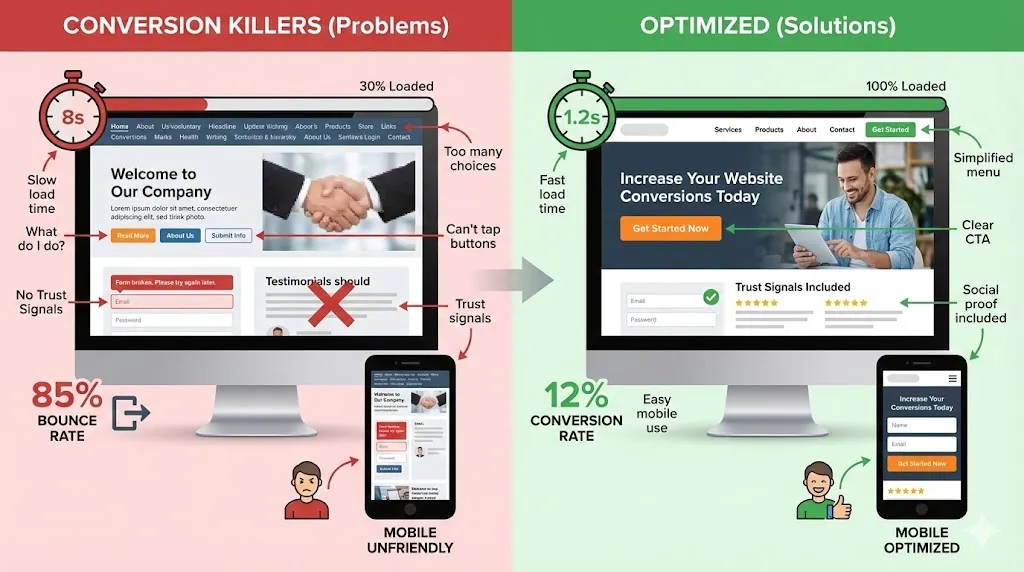
- Took 8 seconds to load (people left before it even appeared)
- No clear call-to-action anywhere
- Contact form was buried on a separate page
- Navigation was confusing
- Mobile version was broken
He was spending $1,500/month on ads to drive traffic to a website that was actively pushing people away.
We fixed it. Same traffic. New result: 87 contact form submissions the next month.
Traffic doesn’t matter if your website doesn’t convert. Here’s how to fix yours.
What Is a Conversion (And Why It Matters More Than Traffic)
A conversion is when a visitor takes the action you want them to take.
For different businesses:
- E-commerce: Making a purchase
- Service business: Filling out contact form, booking consultation
- Restaurant: Making a reservation, ordering online
- B2B: Downloading a resource, requesting a quote
- Lawyer/Doctor: Calling for appointment, filling out intake form
Traffic is vanity. Conversions are revenue.
You don’t need 10,000 visitors if 500 well-optimized visitors convert at 5%. That’s 25 customers.
Better than 10,000 visitors converting at 0.5% (only 50 customers) despite 20x more traffic.
The 3 Conversion Killers Destroying Your Website
Most websites have the same three problems. Fix these and your conversions will improve immediately.
Conversion Killer #1: Slow Load Time
The reality:
- 53% of mobile users abandon sites that take over 3 seconds to load
- For every 1 second delay, conversions drop by 7%
- Amazon calculated they lose $1.6 billion per year for every second of delay
Your site needs to load in under 3 seconds. Preferably under 2.
Test your speed right now: Go to gtmetrix.com or Google PageSpeed Insights. Enter your URL.
If your score is below 80, you have a problem.
How to fix slow load times:
✅ Compress images
- Use TinyPNG or Squoosh to compress images
- Aim for under 200KB per image
- Use WebP format instead of JPEG/PNG
✅ Enable caching
- Your web host should offer this
- WordPress: Use WP Rocket or W3 Total Cache plugin
- This stores a version of your site so it loads faster for returning visitors
✅ Minimize code
- Remove unused plugins and scripts
- Combine CSS and JavaScript files
- Your developer can do this (or hire one if you can’t)
✅ Use a CDN (Content Delivery Network)
- Cloudflare offers a free plan
- Stores your site on servers worldwide
- Loads from the server closest to your visitor
✅ Upgrade your hosting
- Cheap hosting = slow site
- Invest in quality hosting (SiteGround, WP Engine, Kinsta)
- Costs $20-50/month but actually loads fast
Bottom line: If your site is slow, nothing else matters. Fix this first.
Conversion Killer #2: Confusing Navigation
If people can’t find what they’re looking for in 5 seconds, they leave.
Bad navigation examples:
❌ Too many menu items:
“Home | About | Services | Our Process | Team | Portfolio | Blog | Resources | FAQ | Testimonials | Contact”
That’s 11 options. Overwhelming.
❌ Unclear labels:
- “Solutions” (what solutions?)
- “Our Approach” (vague)
- “Resources” (what kind?)
❌ Hidden contact information:
Contact button buried in dropdown menu.
Good navigation:
- ✅ 5-7 main menu items maximum
- ✅ Clear, specific labels (not vague jargon)
- ✅ Logical order (how people think, not how you organized your files)
- ✅ Contact info always visible (phone number in header, contact button prominent)
Example of good navigation:
“Services | How It Works | Pricing | About | Contact”
Simple. Clear. Easy.
Conversion Killer #3: No Clear Call-to-Action (CTA)
This is the #1 problem I see.
People land on your homepage and think… “Okay, now what?”
Your website needs to tell them what to do next.
Bad homepage:
- Welcome message
- Company history
- Mission statement
- Generic stock photo
- …and then what?
Good homepage:
- Clear headline stating what you do and for whom
- Subheadline explaining the benefit
- BIG, OBVIOUS BUTTON telling them exactly what to do
“Get a Free Quote” | “Book Your Consultation” | “Start Your Free Trial” | “See Our Menu” | “Schedule Appointment”
The button should:
- Stand out (contrasting color)
- Be above the fold (visible without scrolling)
- Use action words (“Get,” “Start,” “Book,” not “Learn More”)
- Appear multiple times on the page
Every page needs a CTA. Not just the homepage.
- Service pages: “Request a Quote”
- About page: “Work With Us”
- Blog posts: “Contact Us for Help”
Don’t make people guess what to do. Tell them.
The Anatomy of a High-Converting Homepage
Your homepage has one job: Get visitors to take the next step.
Here’s the structure that works:
Section 1: Hero Section (Above the Fold)
What visitors see first:
Headline: What you do and who it’s for
“Web Design for Small Businesses in Chicago”
Subheadline: The main benefit
“Get a professional website that actually brings you customers — without the 6-month wait or $10K price tag”
Call-to-Action Button: Clear next step
“Get Your Free Quote” (big, bright, impossible to miss)
Hero Image: Shows your service/product in action
Not a generic stock photo. Real images of your work, your product, or your team.
Section 2: The Problem You Solve
Address their pain points:
“Tired of websites that look great but don’t bring in customers? Frustrated by web designers who disappear for months? Done with paying $10,000+ for a basic website?”
Show you understand their frustration.
Section 3: How You Solve It
Your solution in 3-5 simple steps:
- Free 30-minute consultation
- We design your custom site in 2 weeks
- You review and request changes
- We launch your new website
- You start getting customers
Make it sound easy and fast.
Section 4: Social Proof
Show you’re credible:
- Client testimonials with photos and names
- Logos of companies you’ve worked with
- Case study results (“Increased sales by 40%”)
- Awards or certifications
- Number of happy customers (“500+ businesses trust us”)
People trust what others say about you more than what you say about yourself.
Section 5: Features/Benefits
What you offer — not a boring list of features. Benefits explained clearly.
- ❌ “Responsive design” → ✅ “Looks perfect on phones, tablets, and computers”
- ❌ “SEO optimization” → ✅ “Rank higher on Google so customers find you”
- ❌ “CMS integration” → ✅ “Update your own content anytime — no developer needed”
Section 6: Final CTA
One more chance to convert:
Restate the offer and CTA.
“Ready to get a website that actually works? [Get Your Free Quote]”
Or a softer CTA: “Still have questions? Schedule a free call.”
Mobile Optimization: Non-Negotiable
60% of web traffic is mobile. If your site doesn’t work on phones, you’re failing 60% of your visitors.
Mobile Essentials
- ✅ Click-to-call phone number — Nobody wants to memorize your number. Make it a clickable button.
- ✅ Fast load time — Mobile users are even less patient than desktop users. Under 2 seconds.
- ✅ Easy navigation — Hamburger menu that actually works. Simple structure.
- ✅ Readable text without zooming — Minimum 16px font size. Plenty of spacing.
- ✅ Big buttons — Your fingers are bigger than a mouse cursor. Make CTAs easy to tap.
- ✅ No horizontal scrolling — Everything should fit the screen width.
- ✅ Simple forms — Mobile typing is annoying. Ask for the minimum info needed.
Test your site on your phone right now. If it’s clunky, frustrating, or broken — fix it today.
Trust Signals: Why People Don’t Buy From Strangers
People don’t buy from websites they don’t trust. Add these trust signals:
1. SSL Certificate (The Padlock)
Your site needs HTTPS (not HTTP). The padlock shows up in the browser address bar.
Why it matters: Google flags non-HTTPS sites as “Not Secure.” Would you enter your credit card on a site marked “Not Secure”? Neither will your customers.
How to get it: Your web host should offer free SSL. Enable it.
2. Clear Contact Information
Must-haves:
- Phone number (in header, visible on every page)
- Physical address (if you have a location)
- Email address
- Contact form that actually works
Red flag: No phone number, no address, sketchy contact form = looks like a scam.
3. Real Testimonials
Not generic “Great service!” with no name.
Good testimonials include:
- Full name (or at least first name and last initial)
- Photo (real person, not stock photo)
- Specific results (“Increased sales by 30% in 2 months”)
- Company name or location (if B2B)
Even better: Video testimonials.
4. Privacy Policy and Terms
Shows you’re a real business that cares about data protection.
Required by law if you collect emails, use cookies, track analytics, or process payments.
5. Professional Design
Cheap-looking websites = cheap service in people’s minds.
You don’t need to spend $10K, but your site should look clean and modern, professional, and consistent.
6. Case Studies or Portfolio
Show your work. Prove you can deliver.
- Service businesses: Before/after examples, client results, case studies
- E-commerce: High-quality product photos from multiple angles
- Restaurants: Professional food photography
7. Security Badges (If E-commerce)
If you sell online, display payment processor logos (Visa, Mastercard, PayPal, Stripe), security badges, and money-back guarantee.
Forms That Actually Convert
Your contact form might be killing conversions.
Bad form:
- Asks for 15 pieces of information
- Requires fields that aren’t necessary
- Confusing labels
- No confirmation message
- No auto-response email
Good form:
- ✅ Ask for minimum information — Name, email, phone, message. That’s it. You can collect more info later.
- ✅ Clear labels — “What can we help you with?” not “Inquiry type”
- ✅ One column layout — Easier to scan and fill out (especially on mobile)
- ✅ Big submit button — “Send Message” or “Get My Free Quote”
- ✅ Confirmation message — “Thanks! We’ll contact you within 24 hours.”
- ✅ Auto-response email — Send an immediate “We got your message” email. Sets expectations.
- ✅ Test it — Fill out your own form. Does it work? Do you get the email? Is the experience smooth?
A/B Testing: Never Stop Improving
You can’t know what works best until you test it.
A/B testing = showing two versions to different visitors to see which converts better.
What to Test
- Headlines: “Professional Web Design” vs “Get More Customers With a Better Website”
- CTA button color: Blue vs orange vs green
- CTA button text: “Learn More” vs “Get Started” vs “See Pricing”
- Form length: 3 fields vs 5 fields vs 7 fields
- Images: Stock photo vs real photo vs video
- Pricing display: Monthly vs annual pricing shown first
- Social proof placement: Testimonials at top vs bottom of page
How to A/B Test
Use tools like:
- Google Optimize (free)
- Hotjar (free basic plan)
- Unbounce (paid, for landing pages)
- VWO (paid)
Run tests for at least 2 weeks or 1,000 visitors (whichever comes first) to get meaningful data.
Heatmaps: See What People Actually Do
Heatmaps show where people click, scroll, and move their mouse on your site.
What you learn:
- Click maps: What people are trying to click (even if it’s not clickable)
- Scroll maps: How far people scroll down the page
- Mouse tracking: Where attention goes
Tools:
- Hotjar (free for basic features)
- Crazy Egg
- Microsoft Clarity (free)
What to look for:
- People clicking non-clickable things = They expect it to be a link. Make it one.
- Nobody scrolling past the fold = Your above-fold content isn’t engaging. Improve it.
- Ignoring your CTA button = It’s not prominent enough or compelling enough.
- Hovering over elements confused = Navigation or layout is confusing.
The Conversion Optimization Checklist
Speed & Technical
- ☐ Site loads in under 3 seconds
- ☐ Mobile-friendly (test on real phone)
- ☐ HTTPS/SSL enabled (padlock shows)
- ☐ No broken links
- ☐ Forms actually work (test them)
Navigation & UX
- ☐ 5-7 menu items maximum
- ☐ Clear, specific labels
- ☐ Phone number in header
- ☐ Contact page easy to find
- ☐ Logical site structure
Homepage
- ☐ Clear headline (what you do, who for)
- ☐ Benefit-focused subheadline
- ☐ Obvious CTA button above fold
- ☐ Social proof visible
- ☐ Professional design
Calls-to-Action
- ☐ CTA on every page
- ☐ Buttons stand out visually
- ☐ Action-oriented text
- ☐ Multiple CTAs throughout site
- ☐ Clear next step
Trust Signals
- ☐ Real testimonials with names/photos
- ☐ Contact information clearly displayed
- ☐ Privacy policy and terms
- ☐ Professional design
- ☐ Case studies or portfolio
Forms
- ☐ Ask minimum required info
- ☐ Clear labels
- ☐ Big submit button
- ☐ Confirmation message
- ☐ Auto-response email
Mobile
- ☐ Click-to-call phone
- ☐ Readable text (no zooming)
- ☐ Easy navigation
- ☐ Fast load time
- ☐ Big tappable buttons
Analytics
- ☐ Google Analytics installed
- ☐ Goals/conversions tracked
- ☐ Review metrics weekly
- ☐ A/B testing running
- ☐ Heatmaps analyzing behavior
Common Conversion Mistakes
Mistake #1: Trying to Be Clever Instead of Clear
Your headline says “We Move Mountains” but nobody knows what you actually do.
Fix: Be crystal clear. “Residential Moving Services in Boston”
Mistake #2: Talking About Yourself Instead of Benefits
“We’ve been in business 20 years and pride ourselves on excellence…”
Nobody cares. They care about what you’ll do for THEM.
Fix: “Save 3 hours on your next move with our efficient team”
Mistake #3: Too Many Options
Homepage has 8 different CTAs. People freeze and choose nothing.
Fix: One primary CTA. Everything points to that.
Mistake #4: Hidden Pricing
“Contact us for pricing” frustrates people who want quick answers.
Fix: Show starting prices or price ranges. Be transparent.
Mistake #5: Generic Stock Photos
Fake diverse office team sitting around a table smiling at a laptop.
Fix: Real photos of your team, your work, your product.
Mistake #6: No Urgency
Nothing motivates action. People think “I’ll come back later” (they won’t).
Fix: Limited-time offer, consultation slots filling up, seasonal promotion.
Mistake #7: Asking Too Much Too Soon
Email signup popup before they’ve read anything.
Fix: Let them browse first. Offer value before asking for email.
The Bottom Line
Traffic without conversions is worthless.
You can have 100 visitors converting at 10% (10 customers) or 10,000 visitors converting at 0.1% (also 10 customers).
The first costs way less to acquire.
Focus on conversion rate, not just traffic.
Fix the fundamentals:
- Speed (under 3 seconds)
- Clear navigation
- Obvious CTAs
- Mobile optimization
- Trust signals
- Simple forms
Then test and optimize continuously.
Need help fixing your conversion rate? We’ll audit your website, identify what’s broken, and fix it so you actually get customers from your traffic. Visit gusdigitalsolutions.com for a free website audit.
Stop wasting your traffic. Start converting.

Written by Gustavo Vasquez
Web developer and digital marketing consultant helping small businesses get online. 15+ years of tech experience, bilingual (English/Spanish).
Book a free consultationRelated Articles
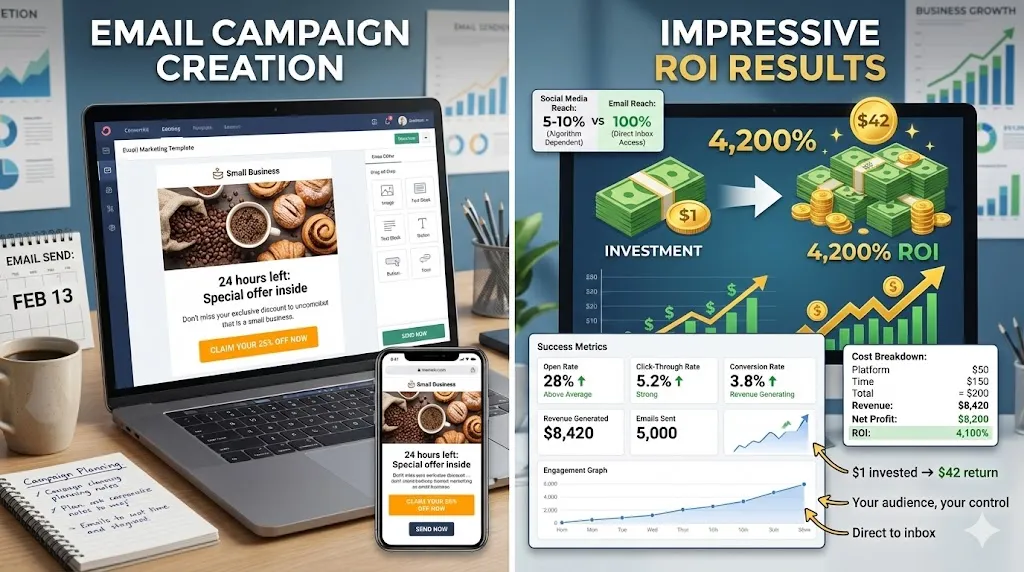
Email Marketing Returns $42 for Every $1 Spent
Learn how email marketing delivers the highest ROI in digital marketing. Build your list, write emails people read, and avoid common mistakes.
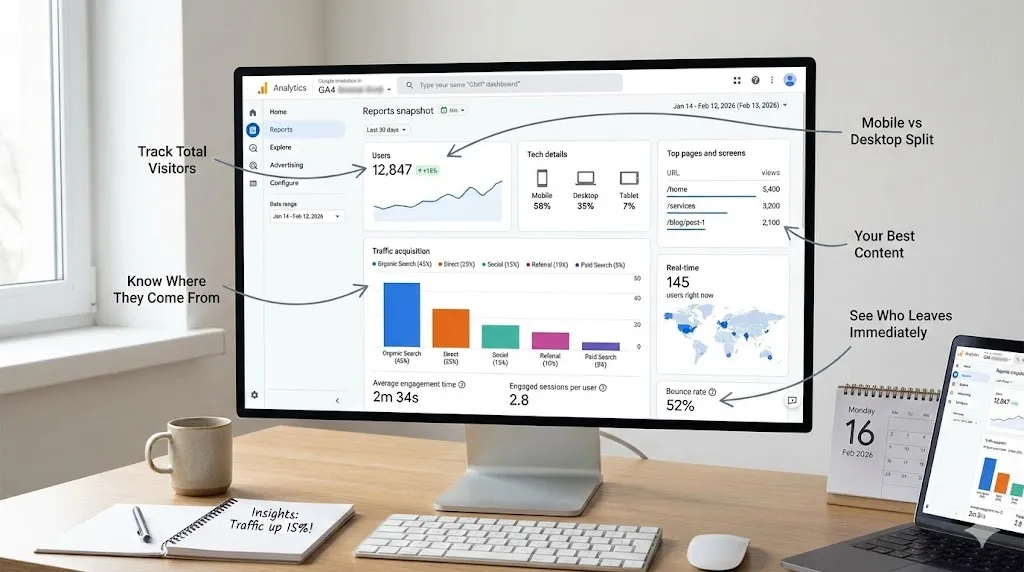
Google Analytics for Small Businesses: Stop Guessing
Learn how to use Google Analytics to make smarter business decisions. 8 key metrics, setup guide, weekly routine, and common mistakes to avoid.
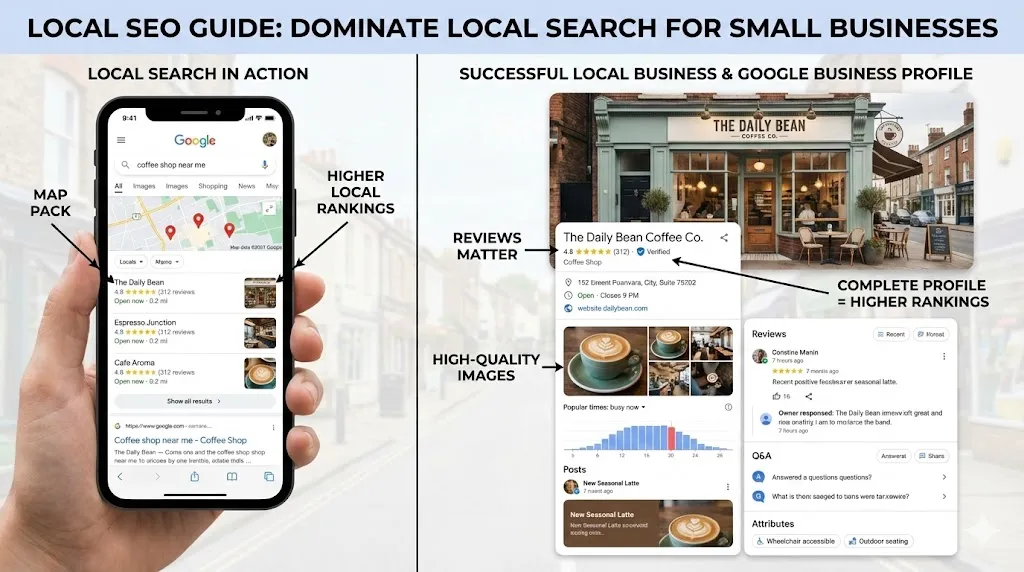
How Local SEO Can 10X Your Small Business
Learn how local SEO helps small businesses dominate Google Maps and local search. Complete guide with Google Business Profile tips, review strategy, and actionable checklist.
Need help with your project?
Whether it's SEO, a new website, or fixing bugs - I can help.
Get in Touch